Live school sport, filmed on your own phones
A seat in the stands for everyone who couldn't come.
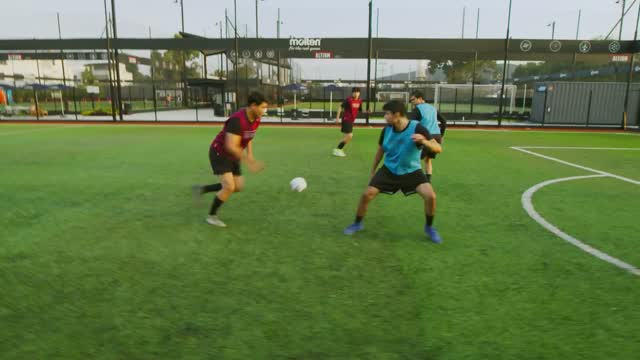
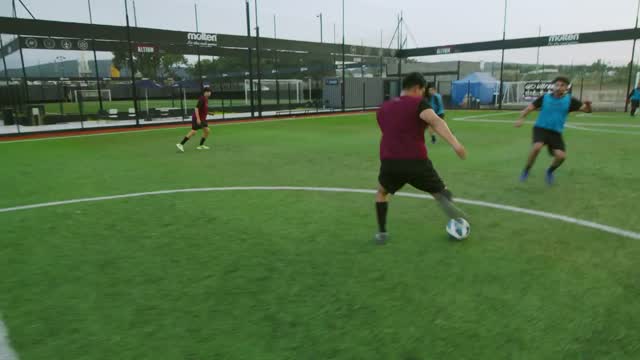
Two or three school phones around the pitch, iPhone or Android, become cameras. Families open a private link, pick the angle and watch about a second behind the game. Nothing to install, nothing public, one price a year per school.
Free, one match. Your students film it, your families watch it. No card, no contract, nobody from us needs to be there.
Riverside vs Hillcrest
U15 football · home fixture
Cameras · 3
Private
A link for your community, not a public channel. Your school's own place on a server in its region, which no other school sees into.
Every angle
Viewers switch cameras themselves. When one phone drops, its viewers move to another on their own and come back when it returns.
About a second behind
Close enough to text "did you see that" and get an answer. YouTube Live in its normal mode runs twenty to thirty seconds late.
How a school streams a match
Your coach and your students run it. We don't need to be there.
-
1
Start a broadcast
The coach opens the Gradiera app, picks two teams or types a title, and starts now or plans it ahead. Several fixtures can be live at once. Families who open the link early see the start in their own time zone.
Ms PatelOrganizerCrewNOW
3 CAMERAS LIVE U15 football: Riverside vs Hillcrest by Ms Patel · since 16:05FilmShare•••2 CAMERAS LIVE Basketball: Riverside vs St Anne's by Mr Okafor · since 16:30FilmShare•••TOMORROW
Spring concert Starts 18:30 by Ms Patel -
2
The crew films
Students, the media club or volunteers your coaches invited by name tap Film. Each phone becomes a camera, Cam 1, Cam 2, Cam 3, on a tripod or in hand. At Go live each one chooses to stream and keep a full-quality copy for the edit, or to stream only and keep nothing on the phone.
Cam 2 at half court · basketballRIV5448STAQ3Cam 2ScoreRIV+1+2+3−1STA+1+2+3−1LIVE 1×★ -
3
Keep the score
Football, basketball, volleyball, ice hockey, field hockey or any two-team game. From a camera's own buttons when one person films and scores, or from anyone's phone in the browser, Android too. The score is drawn into every camera's picture, so it is there whichever angle a viewer picks, and in every recording.
RIV5448STAQ3You're keeping score
Period Q3Riverside54+1+2+3−1St Anne's48+1+2+3−1 -
4
Families watch
Share sends the private link, or you print the viewer QR for the stands. It plays in any browser with nothing to install. Viewers pick the camera, see the score, and replay goals from every angle on the same link, during the game and for 48 hours after.
Try the viewer at the top of the pageRIV21HIL2ND HALFREPLAYRiverside vs Hillcrest
Replays
Goal, Riverside · 2 : 12nd half · 3 camerasReplayMoment marked2nd half · 3 camerasReplayGoal, Hillcrest · 1 : 11st half · 3 camerasReplay
Gradiera Admin, when you want it
On a laptop the school's admin sees every camera's latest picture, who is filming with which phone, and removes a camera with one click. Teams, logos and colours are set up once a season. After that the admin page is optional.
Safeguarding and data
Private to your school, and written down for your DPO.
Video of students is the first thing a school worries about, so it is the first thing we designed for. Your school decides what is filmed and who watches. The full note for your safeguarding lead says what is processed, where, for how long, and what happens during the demo.
Read the data and privacy note- Never listed, never public. No directory, no search, no sharing to social networks from inside the product.
- Only invited people film. Coaches invite each person by name, an invite works once, and the admin removes anyone at once. Students cannot start or end a broadcast.
- Your own place, in your region. Germany today; a dedicated server in the region you choose, or your own machine, on request.
- Replays delete themselves. With replays off, live video only passes through. With them on, as in the demo, the server keeps the last 10 to 15 minutes of each camera and overwrites it as it goes; replays of goals and marked moments last 48 hours, then the files are deleted automatically.
- No copy on the phone, if you choose. Each camera picks Stream only at Go live, and nothing is saved on that phone. Or keep a full-quality copy for the edit, on school-managed phones.
- No viewer accounts, no tracking. No advertising and no analytics vendor on the viewer page. We never use video to train anything.
- No names of students. The system knows teams, not players. No face recognition, no player tracking.
The demo broadcast
See it at your own match, filmed by your own students.
- You ask for a demo. Two minutes, below. Vitalii or Dmytro, the two founders, replies within one working day, and answers your safeguarding lead in writing first if they ask.
- We invite your coach. Your coach gets an organizer invite to our demo server and a one-page guide to the first event.
- Your students film your next match. Two or three phones, iPhone or Android, school-managed if you have them. Stream only keeps nothing on the phones.
- Your families watch. The crew shares the link. Afterwards we send you how many watched and from which cameras, and talk for twenty minutes.
What you need: at least one iPhone or Android phone for the crew, and mobile data or a 5G hotspot at the venue. Until the store listings the camera app comes through TestFlight on iPhone, which needs an Apple ID on the phone, and as a test build we send on Android. Viewers need nothing but a browser. How the demo handles your data
Request a demo broadcastPrice
One school, one price, one invoice a year.
One school
€2,400 a year
Pilot year €1,200. Then €2,400 a year, a price the contract holds for 24 months.
- Every broadcast and every viewer; nothing counted per match, minute or viewer
- The camera and score app on iPhone and Android for your whole crew
- Your own place on the server in your region, with your own admin key
- Crew, admin page, team directory, six sports, planned starts
- Replays of goals and marked moments, kept 48 hours
- Updates, and a support line on match days
- Data processing agreement with a pre-filled impact assessment Next
- Whole games kept on the server to watch later Next
The demo
Free
One broadcast on our demo server, filmed by your students at your next match or event, with replays of its goals and moments. No card and no contract. Replays delete themselves after 48 hours; with Stream only, nothing stays on the phones.
Prices in euros, without VAT, invoiced once a year; payable by bank transfer or against a purchase order. Pilot pricing for our first schools. A camera limit for the school, across all its broadcasts, is a safety line we raise on request, not a price step.
How it compares
Not a public channel, not a camera bolted to one gym.
| Instead of | How it works | How Gradiera differs |
|---|---|---|
| YouTube or Facebook Live from one phone | Public or unlisted, one angle, twenty to thirty seconds behind in normal mode | Never listed, several angles the viewer picks, about a second behind, score in the picture |
| Pixellot, Hudl Focus | A fixed AI camera mounted in one venue that streams and records it, on an annual plan | Nothing to buy or mount, and it travels to away games. A fixed camera can join later as one more angle |
| Veo | A portable AI camera on a tall tripod, with a subscription; live streaming is part of some plans | No camera to buy, and several angles live at once that each viewer picks |
| GameChanger | A free public platform; families pay for streaming, clips and stats | The school's own place, private by link, in the region it chooses; no revenue from parents |
| Switcher Studio, Mevo | A director cuts several cameras into one stream for YouTube or Facebook | No director needed; every viewer picks their own angle |
Based on each product's public pages, October 2026.
Where it stands
What works today, and what comes next.
We would rather you read it here than find it out at your match. Updated 26 October 2026.
Built Works today
- Camera app for iPhone and Android: TestFlight on iPhone, a test build on Android, until the store listings
- Viewer page in any browser, with camera switching and automatic fail-over
- Score for basketball, football, volleyball, ice hockey, field hockey and any two-team game
- Concerts, plays and trainings without a score
- Planned starts, shown in the viewer's own time zone
- Moment replays from every camera, for 48 hours
- Named crew invites, the admin page, the team directory
- Stream only: a camera that keeps nothing on the phone
- Viewers and scorekeepers on any phone or computer, in the browser
Next Before our first paying schools
- Whole games kept on the server, for families who could not watch live
- A passcode for the viewer link
- Signed data processing agreement with a pre-filled impact assessment
- Parent notice template and a fixture notice for the visiting school
- A signal check before Go live
- A switch to send no sound
- A no-film check before every broadcast, kept in its log
Later When schools ask for it
- Staff logins and school-only access
- Clips to student portfolios
- An embeddable player for your school platform
- Your school's own address, such as riverside.gradiera.com, as a paid add-on
Questions Directors of Sport ask
Before you ask us.
Who films the match?
Your own people: students, the media club, staff or volunteers, each invited by name by your coaches. An invite works once and is tied to the person it names, and the admin removes anyone at once. Students cannot start or end a broadcast; only organizers can.
Can anyone watch? What if a parent forwards the link?
Anyone with the viewer link, which the crew shares from the app or you print as a QR. The link is a long random code, never listed or searchable, and stops admitting people when the broadcast ends. It works like a key: whoever it is forwarded to can watch while you are live. If it spreads, issue a new link and the old one stops at once. A passcode on the printed sheet comes Next, school logins Later. A parent can still screen-record, as with any video, so your usual photo policy applies.
What about a child who must not be filmed?
No camera can promise to miss one child in a moving game, so the reliable answer is the school's: such a match is not streamed, or the student plays in one without a broadcast. Before every broadcast the organizer confirms the no-film list was checked, and the broadcast's log keeps who confirmed it and when Next. Until then the school records its procedure in its impact assessment. We do not use face recognition to blur one child.
Our families are asleep at kick-off. What do they get?
Replays of every goal and every moment the crew marks, from every camera, on the same link for 48 hours after each one, the demo broadcast included. Whole games kept on the server to watch later are the next thing we build Next. Until then, a camera that streams and records keeps the full game on its phone for your media team to edit and share.
We play several fixtures at once. How many can we stream?
As many broadcasts at the same time as you have crews. The only limit is cameras live at once across your school, which we set with you and raise on request. Four fixtures with three cameras each is twelve cameras, well inside it.
Does it work at away fixtures?
Yes. Nothing is installed at the venue, so the crew films wherever the team plays, on mobile data. Tell the host school, as you would for photography; a fixture notice for the visiting or host school comes with the pilot pack Next.
Is there sound?
Each camera sends the sound its phone hears, as any video would. Viewers start muted and tap for sound. A switch to send no sound is not built yet.
Which phones can film?
iPhone or Android, and one phone is enough to start. School-managed phones are the right answer for video of students; a member of staff's phone works too, and Stream only keeps nothing on it. Until the store listings the camera app comes through TestFlight on iPhone, which needs an Apple ID signed in, and as a test build we send on Android. Two refurbished iPhones, two tripods and a 5G hotspot come to under €800 once. Viewers watch on anything, and Android phones already keep the score from the browser.
The venue Wi-Fi is bad.
Cameras use mobile data, about 2.5 Mbps each, so nothing depends on the venue's network. A camera uses about 1.1 GB an hour at standard quality, 1.8 GB at 1080p. A school SIM or one hotspot shared by the cameras is the usual answer.
Where does the video go, and for how long?
Through our server for your region, Germany today, in your school's own place, which no other school sees into. Live video is not written to disk unless you turn recording on; then the server keeps only the last ten to fifteen minutes to cut replays from, and replays last 48 hours. A dedicated server, or the same server on your own machine, is available on request.
Is it only for sport?
No. Concerts, plays, assemblies, graduations and master classes stream the same way, without a score.
Can it sit inside our parent portal?
The viewer is a web page, so the link goes anywhere a link goes: your portal, newsletter or fixtures page.
Who owns the account if the teacher who set it up leaves?
The school. The admin key belongs to the school; we issue a new one on request, which stops the old one at once. The contract names the school, not a person.
How do we stop?
The licence is annual and simply not renewed if you say so. Your data is yours to download first. If we ever close, a school-hosted installation keeps working without us, and licences are assignable to a successor.
Request a demo broadcast
Stream your next match, free.
Tell us where to send the invite. Vitalii or Dmytro, the two founders, writes back within one working day. No sales calls, no slides.
- We send your coach an organizer invite and a one-page guide.
- Your students film the match; your families watch from a link.
- We send you the numbers and talk for twenty minutes.
Prefer email? hello@gradiera.com
Gradiera is built by two engineers, Vitalii Kikot and Dmytro Hryb, and we are the people who answer. Nobody else sits between you and the people who build it.
Thank you.
We'll write from hello@gradiera.com within one working day, with the invite for your coach and the one-page guide.